Style a chart
Use the Appearance page
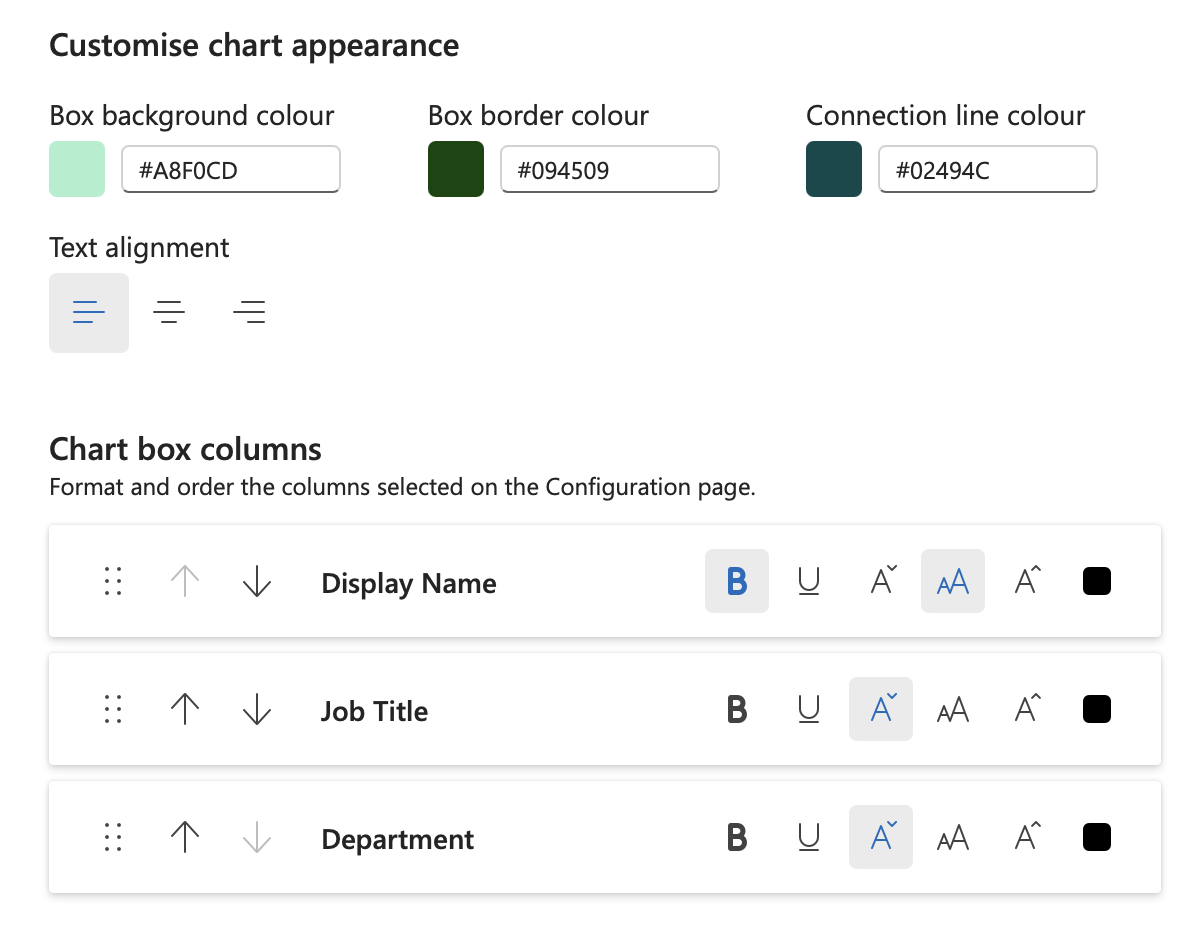
- Choose default chart box, border, and connection line colors.
- Set chart box text alignment to left, center, or right.
- Drag displayed fields into the order in which they should appear.
- Apply bold, underline, and text color formatting to individual fields.
Style individual chart boxes from Excel
Apply a fill color or font color to a person's employee identifier cell in Excel. Refresh the chart to apply that formatting to the person's chart box. Excel formatting overrides the chart defaults.
Find and format a group
Search uses the fields displayed in chart boxes, so you can look for a name, role, department, or another displayed value.
- Search for a shared value such as a country, department, or job title.
- Filter the Excel table to the search results.
- Apply a fill color or font color to the visible employee identifier cells.
- Use Refresh chart to see the targeted styling.